Creating a Build Config
A build config can be created by right clicking anywhere within content project window and select:
Create / Build Assistant / Build Config Asset
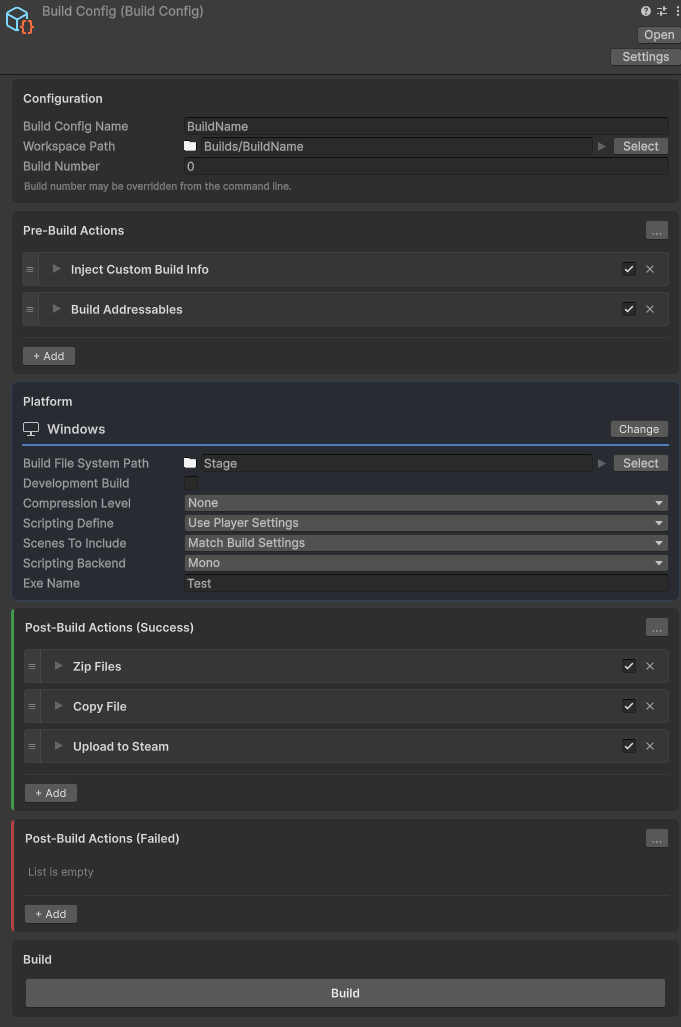
Now you have a config you can press the ‘Set Platform’ button and select any of the included or plugin platforms. In the below example Windows has been selected.
In this example we have a simple windows build with two pre-build action and two post build actions.
Note on Paths
Each config has a WorkspacePath (the base folder) and a BuildSubPath (where the build is saved). BuildSubPath is relative to the workspace unless you change its path kind.
A path kind is one of:
- Workspace: relative to WorkspacePath
- Project: relative to the Unity project
- Absolute: a full OS path
The Resolved row shows the final location. Copy puts that path on the clipboard.
